



We are living in an age where technology can be used to help with almost any task, and this extends to caregivers. Whether you need help managing appointments, medication, or even scheduling, there is definitely an app for that!
Whether you need help tracking your patient, monitoring their health, or even their vital signs, here is a list to help you connect technology and caregiving. Read on to learn all about the various technologies that may benefit caregivers.
1. Apple Tags
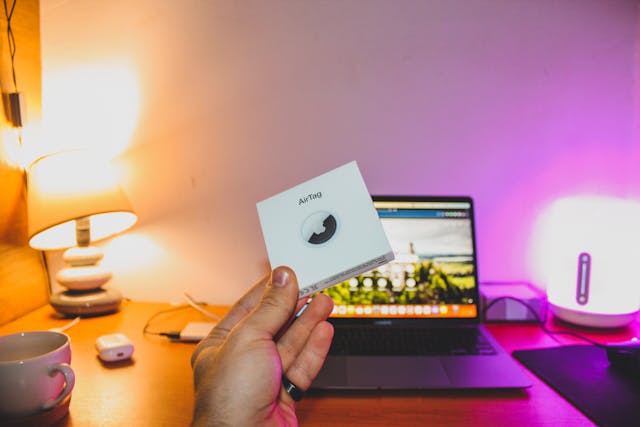
Apple tags are a great way to keep track of someone who has memory issues and may wander off on their own. While the placement may vary, having one in a purse or on a keychain can make it easy to check your phone to locate someone when needed.
Of course, an Apple tag is not always attached to the person, so if they wander away without their keys or purse, you may be in trouble, so for those without, it’s better to consider a tracking app tied to a FitBit or Apple Watch.
2. FitBit or Apple Watch
Besides just helping with tracking, Fitbit and Apple Watch can help with so many more aspects of caregiving. These watches can be set up to track health metrics like heart rate, sleep, stress levels, and more.
Of course, these are a little on the pricey side, but they’ve become such a huge aspect of caregiving that there are programs that may cover the purchase of one for your friend or family member.
3. Ring or Blink Camera
Is your patient struggling with answering the door? Maybe they are physically able, but their mental capabilities make it dangerous. Either way, a Ring or Blink camera can help.
If they are mentally capable but wheelchair-bound or bed-bound, you can set up the doorbell to attach to their phone. If they aren’t mentally capable, set it up so it alerts your device. This way, you can answer the door on their behalf even when you aren’t home.
4. Google Calendar
This is a simple one, but a Google Calendar is a great way to share schedules, appointments, and more with everyone who needs to know. You can place doctor’s appointments, medication pickups, and even the days you need off, so you can schedule someone else in your stead. The best part is that the app is free to use as long as you have a Gmail email address.
For more apps that can help with caregiving, check out our article The Role of Technology in Caregiving.
5. Care.com
Although you may be the only caregiver assigned to your parents, you deserve to have your own life and days off as well. Care.com, while known for its babysitting and nanny services, also has a section for caregivers, ensuring you can have someone in place so you can maintain a healthy work/life balance.
We recommend having one day off per week, even if it’s just from 9-5, so you can run some errands and have some time to yourself. Utilize Care.com to find someone who can help during those hours. We assume by this point you are already utilizing the money provided by the government to pay yourself for your caregiving, but if you aren’t, this is an excellent opportunity to reach out to see what the government will pay you for your family member’s caregiving services.
6. Amazon Echo or Google Home
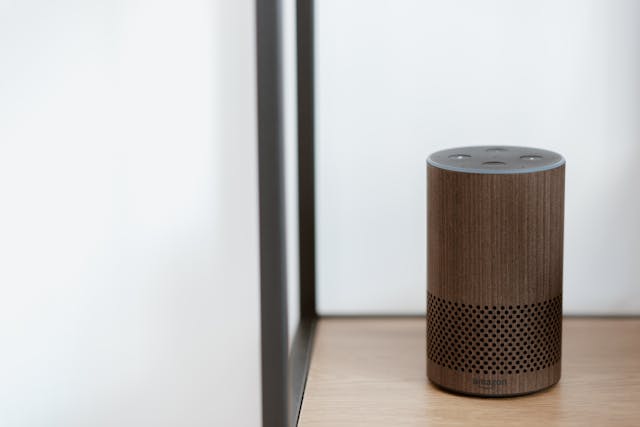
There are so many tasks that become more difficult with age, and a Google Home or Amazon Echo can help with most of these. You can utilize smart lightbulbs, connecting them to the home device for voice control, and you can even utilize a smart thermostat, making it easy to adjust the temperature of your home in the same way.
We recommend the Google Home device, especially if you are using a Google Calendar, as this makes it easy for your patient to check their appointments, add medication reminders, and more. Just be sure that if you choose this option, you set aside time to set it up with your patient so it is ready for them to use!
7. Life Alert
For those with mobility issues, Life Alert is one of the most critical pieces of technology to invest in. Life Alert is a button that the individual can wear and press if they fall and cannot get up. We recommend choosing the waterproof option, as most issues with falling occur while getting out of the shower or bath. You can also choose the non-waterproof option and install a button in the bathroom, but then you have to be confident your family member has the memory capability to return the button to their neck after they shower.
8. MedMinder
Most individuals in the later stages of their life require several medications as they go about their daily life. It can be difficult to track these medications and to ensure they are taken on time. MedMinder is here to help.
MedMinder can hold up to 28 days of medication and has aural alerts to remind the patient to take their medications at the required intervals. They will receive a reminder if they don’t take the medication when alerted, and if they still don’t take it, it will send a text to your phone to alert you.
Not only that, but each compartment locks, meaning only the pills for that day can be accessed, meaning no unintentional overdoses, and it’s safe for those with memory issues. There is also an alert button, allowing them to speak with emergency services if something goes wrong—such as an allergic reaction.
While this system is a little on the pricey side, it is covered by some government programs. Plus, if your family member takes medication daily, it can be utilized in place of a Life Alert system, as you know, when you get the notification that they didn’t take their medication, that something is wrong.
Overall, no matter what your situation is as a caregiver, there is definitely technology to help. Just ensure you take the time to choose and set up the technology which is best for you and your family member.


